Windows 11 26H2 Is Here: Update Before 24H2 Support Ends on 13 October
Windows 11 26H2 is a small download that restarts your support clock. If you're on 24H2 Home or Pro, security updates stop on 13 October 2026. Here's how to check your version and update.
In this post6 sections
Microsoft started rolling out Windows 11 26H2, also called the Windows 11 2026 Update, on 29 September 2026. It's a small add-on rather than a full reinstall. The timing matters: if your PC runs version 24H2 Home or Pro, security updates stop on 13 October 2026, a week from today. Below: how to check your version, how to get 26H2 and what happens if you skip it.
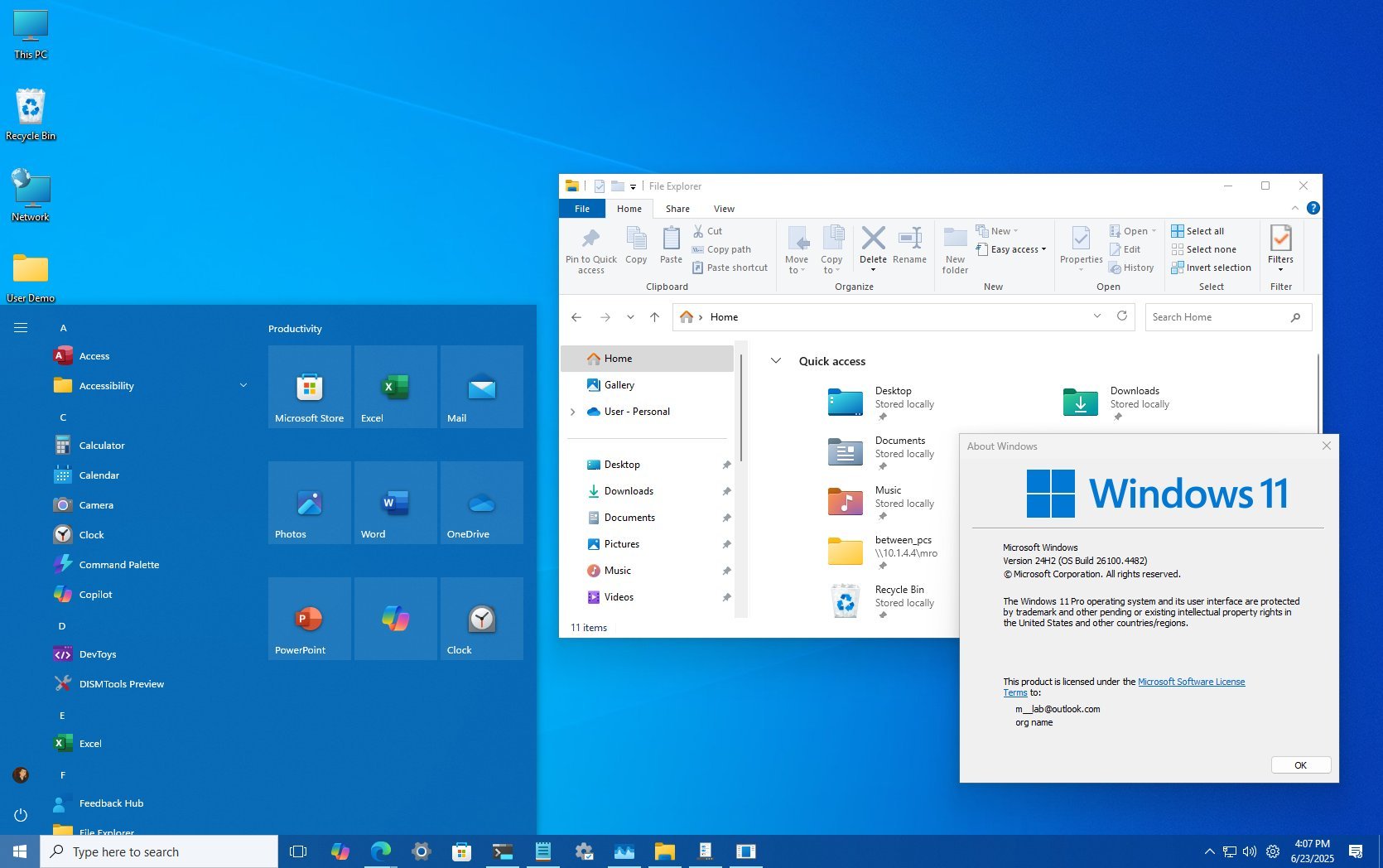
Check your Windows version in 30 seconds
- Press Windows key + R, type winver and press Enter. A small window shows your version, for example "Version 24H2" or "Version 25H2".
- Or open Settings > System > About and look for Version under Windows specifications.
- Note your edition (Home, Pro, Enterprise and so on) on the same screen, because the deadline is different for each edition.
If you're already on 25H2, there's no rush: Microsoft supports 25H2 Home and Pro until 12 October 2027. If you're on 24H2 Home or Pro, read on.
What happens if you stay on Windows 11 24H2
Your PC won't stop working on 14 October. The updates are what stop. In its Windows Insider blog post, Microsoft says 24H2 Home and Pro "will reach end of updates on October 13, 2026." That means no more monthly security patches, optional preview updates or bug fixes. The Patch Tuesday update on 13 October is the last one.
The real risk is security. Any hole found in Windows after that date stays open on your PC. Enterprise and Education editions of 24H2 are supported for one more year, until 12 October 2027, according to Microsoft's release information page.
Microsoft has been moving some people off 24H2 already. Since December 2025, unmanaged 24H2 Home and Pro PCs (ones not run by a company IT team) have been upgraded to 25H2 automatically, with a machine-learning system choosing when each PC is ready. Windows Latest reported that you can still choose when to restart. Microsoft hasn't said whether that automatic upgrade now goes to 26H2 instead, so don't count on it reaching your PC in time.
How to update to Windows 11 26H2
Versions 24H2, 25H2 and 26H2 share the same underlying code. That's why 26H2 arrives as an enablement package (KB5121794): a small download that switches on features already on your PC, followed by one restart. Microsoft's support page lists one requirement: your PC needs the 22 September 2026 preview update, KB5124010, or a later cumulative update.
- Open Settings > Windows Update.
- Click Check for updates and install everything waiting, including KB5124010 or newer. Restart if asked.
- Turn on Get the latest updates as soon as they're available.
- Check for updates again. When Windows 11, version 26H2 appears, select Download & install and restart.
Windows 11 26H2 is mostly about the support clock
Don't expect a big redesign. Microsoft says many 26H2 features already reached PCs through monthly updates. What installing 26H2 really does is reset your support period: 24 months for Home and Pro, 36 months for Enterprise and Education, according to the Windows Experience blog.
Microsoft's what's new page for 26H2 brings together everything added over the past year. Here are the parts most people will notice:
- A redesigned Start menu with a scrollable All section and category or grid views for your apps.
- A taskbar you can move to the top, left or right of the screen, plus a smaller taskbar option.
- Point-in-time restore, which can roll your PC back to a recent automatic restore point, including apps, settings and files.
- Windows Hello's stronger fingerprint security (Enhanced Sign-in Security) now works with compatible external fingerprint readers.
- Smart App Control can now be turned on or off without reinstalling Windows.
- Task Manager can show NPU usage on PCs with an AI chip.
On work PCs, Windows settings backup, app-specific taskbar actions and some File Explorer improvements are now switched on by default.
The October update adds Emoji 17 and a Copilot key fix
The fun features come in KB5124010, which Microsoft released as an optional preview on 22 September for 24H2 and 25H2. Pureinfotech reports that it becomes the regular October update on Patch Tuesday, 13 October.
- Emoji 17.0: new ones like distorted face, fight cloud and hairy creature, plus redesigned saluting face, goose and lotus. Press Windows key + full stop to open the emoji panel.
- Copilot key remap: in Settings > Bluetooth & devices > Keyboard, you can make the Copilot key work as Right Ctrl or the Context Menu key. Handy if you never wanted a Copilot key in the first place.
- Touchpad gestures: in Settings > Bluetooth & devices > Touchpad, you can scroll up and down with one finger along the left or right edge, and keep scrolling by holding your finger near the edge.
- Smaller extras: an "Open apps maximized" accessibility setting, a Tips widget, and Wi-Fi in the recovery environment that reuses your saved network.
Microsoft switches these on in stages, and timing can vary by region and hardware. If the Copilot key option isn't there yet after you update, it should turn up later.
What to do before 13 October
Check your version today. If it says 24H2 and you're on Home or Pro, install the latest updates and then 26H2 before next Tuesday. Back up anything important first, even for a small update like this. If your PC needs a broader security check, our 60-Minute Privacy & Security Reset walks you through it.
Then watch Microsoft's Windows release health page. It's where Microsoft posts rollout progress and known issues as 26H2 reaches more PCs over the coming months.
Sources
- Microsoft Learn: Windows 11 release information
- Microsoft Learn: What's new in Windows 11, version 26H2 for IT pros
- Microsoft Support: KB5121794 feature update to Windows 11, version 26H2
- Windows Experience Blog: How to get the Windows 11 2026 Update
- Windows Insider Blog: Releasing Windows 11, version 26H2 to the Release Preview Channel
- Pureinfotech: KB5124010 Windows 11 October 2026 update
- Thurrott: Microsoft starts rolling out Windows 11 version 26H2
- Windows Latest: Microsoft confirms auto download of Windows 11 25H2
Found this useful? Send it to someone who should read it.


